bare/o3 / tier-2-l-bracket
success tier 2
bare (o3)
render
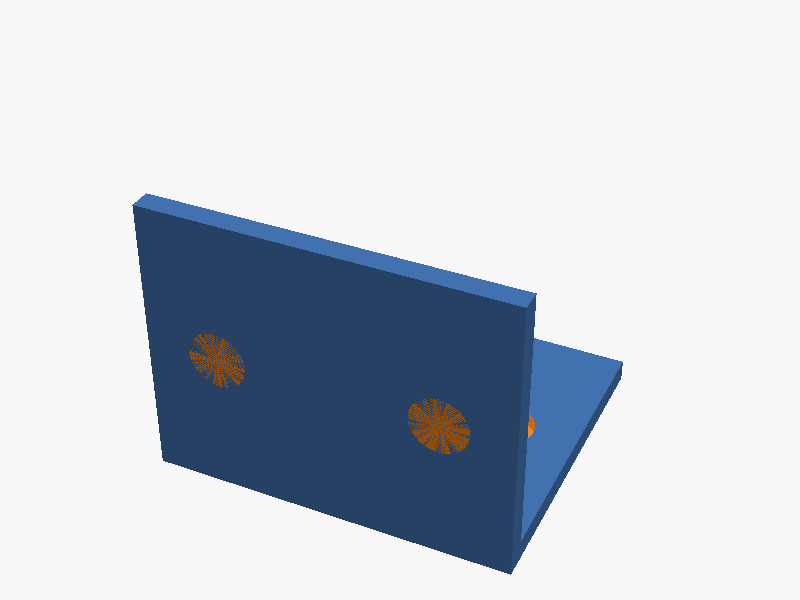
// L-bracket with countersunk holes
// Dimensions
WIDTH       = 50;   // X direction (common width of both flanges)
DEPTH       = 40;   // Y direction of horizontal flange
HEIGHT      = 40;   // Z direction of vertical flange
THK         = 3;    // Plate thickness

// Hole parameters
HOLE_D      = 4.5;  // Through-hole diameter (M4 clearance)
CSK_D       = 8;    // Countersink seat diameter
CSK_DEPTH   = 2;    // Countersink depth
EDGE_OFFSET = 10;   // Distance of hole-centres from side edges
$fn = 64;           // Circle resolution

difference() {
    // --- Plates -----------------------------------------------------------
    union() {
        // Horizontal flange (lies in XY plane, thickness +Z)
        cube([WIDTH, DEPTH, THK], center = false);

        // Vertical flange (stands in YZ plane, thickness –Y)
        translate([0, -THK, 0])
            cube([WIDTH, THK, HEIGHT], center = false);
    }

    // --- Countersunk holes ------------------------------------------------
    // Horizontal flange holes (axis = Z)
    for (x = [EDGE_OFFSET, WIDTH - EDGE_OFFSET]) {
        y = DEPTH / 2;

        // Through hole
        translate([x, y, -1])
            cylinder(h = THK + 2, d = HOLE_D);

        // Countersink (from top surface downward)
        translate([x, y, THK - CSK_DEPTH])
            cylinder(h = CSK_DEPTH + 1, d = CSK_D);
    }

    // Vertical flange holes (axis = Y)
    for (x = [EDGE_OFFSET, WIDTH - EDGE_OFFSET]) {
        z = HEIGHT / 2;

        // Through hole
        translate([x, -THK - 1, z])
            rotate([90, 0, 0])
                cylinder(h = THK + 2, d = HOLE_D);

        // Countersink (from outer side toward inside)
        translate([x, -THK, z])
            rotate([90, 0, 0])
                cylinder(h = CSK_DEPTH + 1, d = CSK_D);
    }
}
パラメータ (8) —
スライダを動かすと openscad-wasm で再レンダリング
iteration chain
各 iteration step は独立した benchmark run です。parentRunId で前段にリンクします。
→ children (1)
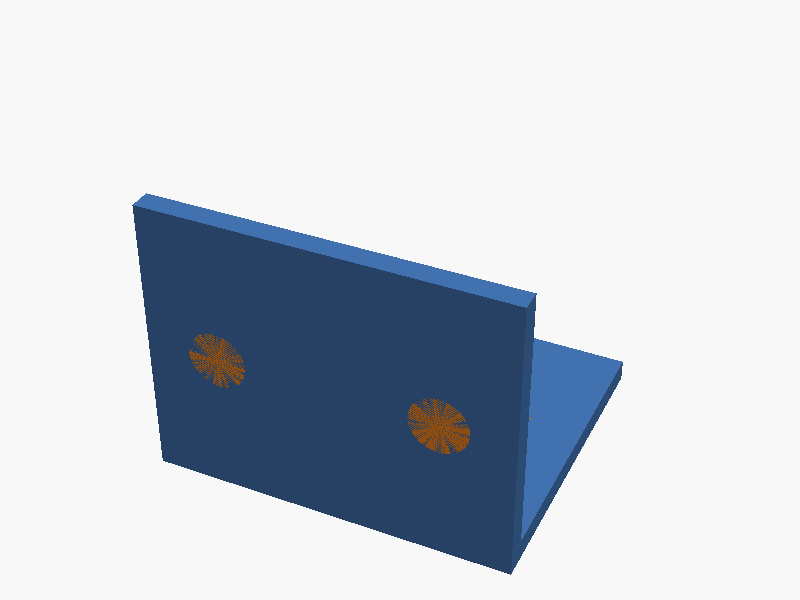
prompt
OpenSCAD で、L 字に折れた金具(L-bracket)を作ってください。

形状:
- 水平面と垂直面の 2 つのフランジが直角に繋がっている
- 水平面は 50mm × 40mm(幅 × 奥行き)
- 垂直面は 50mm × 40mm(幅 × 高さ)
- 板厚はどちらも 3mm
- 内側コーナーが原点になるように配置(水平面は +Y 方向、垂直面は +Z 方向に伸びる)

皿穴(countersunk holes):
- 各面に 2 個ずつ、合計 4 個
- M4 ねじ用(貫通穴 Φ4.5mm + 皿座面 Φ8mm × 深さ 2mm)
- 各面の中心線上で、面の縁から 10mm 内側、左右対称に 2 個並べる
- 皿座面は外側(ボルト頭が当たる側)に向ける

完成したコード全体を ```openscad ... ``` のフェンスで囲んで出力してください。コードのみで、追加の説明は不要です。