bare-ctx32k/qwen3-8b / tier-2-offset-handle-mug
success tier 2
bare (qwen3-8b)
render
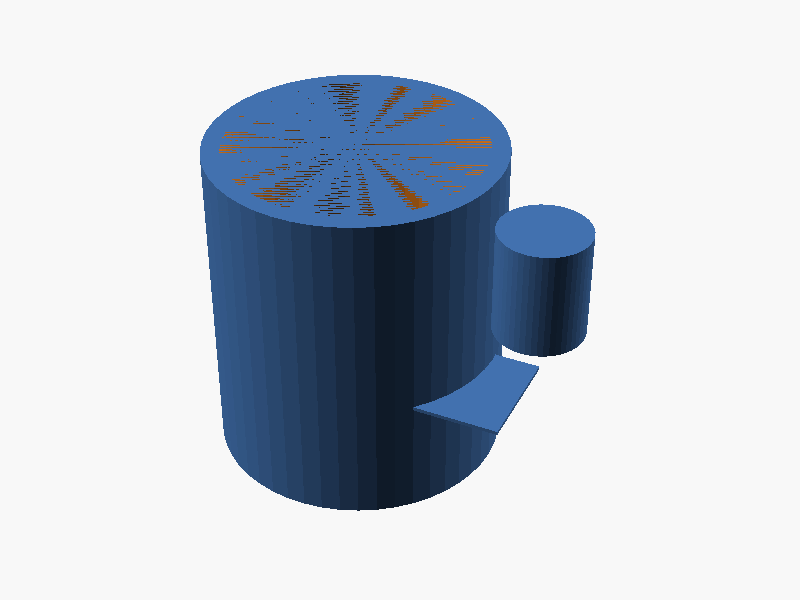
loading STL…
$fn = 50;

// Main body
difference() {
    cylinder(r=40, h=84, center=true); // Outer cylinder (height: 84mm)
    cylinder(r=35, h=84, center=true); // Inner hollow part (diameter 70mm)
}

translate([0, 0, -42 -6]) // Position base at z = -48
cylinder(r=40, h=6, $fn=$fn, center=false); // Base thickness 6mm

// Handle on +X side
union() {
    // Inner space of handle: 30mm height × 25mm width (fingers area)
    translate([40, -12.5, -15])
    cube([25, 30, 1], center=true);

    // Semicircular protrusion (outer side of D-shape)
    translate([40 + 12.5, 0, 0])
    cylinder(r=12.5, h=30, $fn=$fn, center=false);
}prompt
OpenSCAD で、向きが指定されたマグカップを作ってください。

本体:
- 外径 80mm、内径 70mm(肉厚 5mm)、高さ 90mm の円筒形マグ
- 底面の厚みは 6mm
- 内側は飲み物を入れられるよう中空

取手(handle):
- マグの **+X 軸方向の側面のみ** に付ける(他の方向には付けない)
- 取手は D 字形状(外側が半円、本体側が直線)で、本体外周にしっかり接続する
- 取手の内側の空間は高さ 30mm × 幅 25mm(指 3 本ぐらい入る)
- 取手はマグの高さ方向の中央付近に付ける
- 本体と取手は確実に union され、マニフォールド(隙間や宙吊りなし)を保つ

完成したコード全体を ```openscad ... ``` のフェンスで囲んで出力してください。コードのみで、追加の説明は不要です。